
PowerPoint: Introducing Excel Data effectively in PowerPoint presentations – 12 pm Halifax, 11 am Toronto, 9 am Calgary, 8 am Vancouver
Course No: ZPPDW-126-S
Format: HANDS-ON ONLINE WORKSHOP. This is a Live Workshop with an Instructor. Participants will work hands-on on practice data, and interact with an instructor online.
Duration: 2 Hours.
PRICE & BOOKING: Individual Registrations @ $120 per person. Discounts available for Organizational or Group booking Contact us for group booking.
Key Learning Outcomes
Module 1 – Linking from Excel
- Understanding the differences of Linked data and Linked objects from Excel
- Understand the differences between Linking and Embedding
- Exploring which objects can be linked as data and which as objects
- Working with Chart Annotations in Excel for transfer to PowerPoint
Module 2 – Embedding spreadsheets, Object actions, Smart Art and Chart Animation
- Introduction to Chart Animation and managing data series arrangements for effective chart animation
- Working with Smart Art based animation for highly effective slide presentations
- Embedding Excel files with Object Actions on a Master Layout – make changes throughout your presentation
- More tips and tricks as time permits
Important Instructions
• Office 365 will be used in the demonstration of techniques of this workshop. Microsoft Office Starter Edition will not be adequate.
• This workshop is compatible with the PC version of PowerPoint only. Mac version is not supported.


Free Video Resources on our YouTube Channel
|

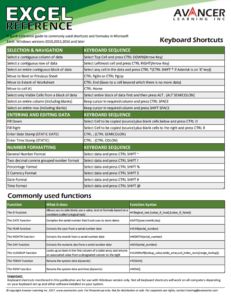
Free Excel Quick Reference CardDownload this handy quick reference card of Keyboard Shortcuts and Commonly used functions
|
Free Video Resources on our YouTube Channel
|