
Fast-Track Excel Fundamentals – 12 pm AT /11 am ET/ 9 am MT
For those with minor or limited exposure to Excel
Course No: RHWE-1440
Location: ONLINE over ZOOM. HANDS-ON WORKSHOP. This is a Live course where you will work together with an instructor, online via Zoom, and receive instruction, plus practice on example data. You will watch the instructor’s screen, and practice on your own computer. You can take this course while at work, at home, or on the beach!
Duration: 4 Hours in 2 sessions of 2 hours each with half-hour break in between.
PRICE: Individual Registrations @ $240 per person. Discount available for Organizational or Group booking. Contact us.
Key Learning Outcomes
IMPORTANT: This is an Accelerated course which covers Essential Fundamentals of Excel. It is suitable for those with some basic exposure to Excel (should be able to open files, move cursor around, understand the meaning of cells and sheets, save files). It is designed for someone who has minor or very limited exposure to Excel. It is not suitable for participants who have absolutely no exposure to Excel. It does not cover common tasks of Opening, Closing, Saving files, Cell explanations etc.
Module 1: Introductory exploration of the Excel Interface – work with speed
- Examining the Excel Interface – Navigation controls, Status Bar formulas, formula bar, etc.
- Understanding different kinds of cell selections – Contiguous vs Non-contiguous
- Tips and Tricks in Copying, Auto Fill and Series, Mouse Erase, Keyboard Shortcuts (spread over all modules)
Module 2: Working with Formulas. Building good formulas
- Foundation to good data practices
- Understanding Number Formatting
- Understanding key concepts in formula building
- Exploring cell references, referencing constants, correctly using arithmetical operators
- How to Copy Formulas and Copy Values
- Good practice in cell referencing – Relative and Absolute References
- Linking data and building formulas across spreadsheets
Module 3: Introduction to Functions
- First steps towards function-based formulas
-
- Introduction to Functions and the function library buttons
- Introducing key functions – Sum, Min, Max, Average and a few others.
- Getting productive with more functions – Count, Counta
- Introducing the IF function – one of the most used functions in Excel
Module 4: Managing Output
- Output from Spreadsheets
- Setting Print Options
- Saving PDFs
Materials: All participants receive course notes (PDF) file and practice data (Excel File)
Recordings: The instructor’s screen and the audio stream are recorded and video access is made available to you to view for six months after the workshop.
Important Instructions:
• Version 365 will be used in the workshop demonstration. Participants are welcome to use older versions, but some differences may exist. Microsoft Office Starter Edition will not be adequate.


Free Video Resources on our YouTube Channel
|

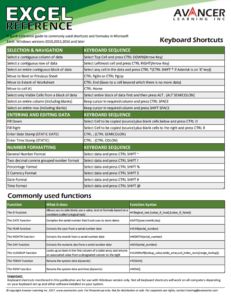
Free Excel Quick Reference CardDownload this handy quick reference card of Keyboard Shortcuts and Commonly used functions
|
Free Video Resources on our YouTube Channel
|